


Avera MyChart
4.243.00 Reviews
App Specs
- Version
- 11.7.3
- Updated On
- License
- Free
- Downloads
- 10,000+
- Developer
- Avera Mobile Apps
- Categories
- Medical
- Platform
- Android
Screenshots
 Analysis by AppCompare
Managing healthcare is rarely convenient. Records are spread across appointments, insurance documents, test results, and messages, while the information is often needed at the least convenient moment. Avera MyChart is designed to bring those pieces together in one mobile medical app, giving patients secure online access to Avera medical records and health insurance information. I found its value less in flashy extras and more in reducing the number of separate tasks I need to handle when dealing with care.
As a free app from Avera Mobile Apps, it is aimed at people already connected to the Avera healthcare system. That point matters: this is not a general health tracker, symptom diary, or replacement for emergency care. Its usefulness depends on whether your medical information and insurance relationship are handled through Avera. For the right patient, that focus makes the app practical. For someone who mainly sees unrelated providers, it may offer much less day-to-day benefit.
How Avera MyChart fits into everyday healthcare
The current release is version 11.7.3, and the app sits in the medical category with an Everyone content rating. It has reached over ten thousand installs, with a 4.2 average from around seventy ratings and forty-three written reviews. Those figures suggest a modest but established patient audience rather than a broadly used consumer platform. I would read that as a reason to judge it by usefulness during real healthcare tasks, not by popularity alone.
The basic appeal is straightforward. Instead of searching through email, paper folders, or separate insurance portals, I can use one Avera-focused place to check the information associated with my care. That is particularly helpful before an appointment, after a visit, or when I need to remember details from a previous interaction. The app’s role is administrative and informational, but those small conveniences can remove a surprising amount of friction.
A realistic example is preparing for a specialist visit. I might want to review recent medical information, check insurance details, and make sure I have the right questions ready before leaving home. With a patient portal on the phone, I can do that while traveling or waiting for the appointment rather than relying on memory. I still need to verify important instructions with a clinician, but having the relevant account information close at hand makes preparation easier.
The strongest reason to use this app is continuity: it keeps Avera-related healthcare information available when a desktop computer is not. That does not make every healthcare task instant, and it does not eliminate the need to contact staff for complicated issues. It does make routine access more manageable, especially for patients who prefer handling simple account tasks from a phone.
What the current experience is best at
I see Avera MyChart as most useful for three types of moments. The first is preparation, when I want to review information before an appointment or understand what I may need to discuss. The second is follow-up, when I want to return to details after a visit instead of trying to remember everything. The third is insurance-related checking, where having health plan information alongside medical records can be more convenient than moving between unrelated services.
Worth Reading Before You Choose

Flipboard Shows What News Apps Must Do Beyond the Feed

Switching to Android Auto Means Rethinking Your Driving Routine

Google Calendar Makes a Crowded Week Easier to Manage

Ludo King Makes the Most of the Minutes Between Plans

Baby Panda World Brings Quick Play to Modern Phones, but Its Game Library Feels Busy

ESPN’s Live Game View Makes Following Close Games Easier
That combination is more valuable than a generic wellness app because it is tied to a healthcare provider and insurance context. Fitness applications may be better for exercise trends, sleep logs, or personal goals, but they do not replace a provider-connected portal. A standalone insurance application may have a narrower focus on coverage and claims, while Avera MyChart is more useful when I need both care-related and insurance-related information in the same general workflow.
There is also a practical benefit for people who help organize care for a family member. A patient portal can reduce the need to keep every detail in a notebook or depend on a single computer at home. However, I would not assume that every family-management arrangement works identically. Access to another person’s information should always be handled through the account and permissions provided by the healthcare organization, not by casually sharing passwords or leaving a phone unlocked.
What changed for the current version
The app’s current version is 11.7.3, and it was released on May 12, 2026. That gives the release a clear place in the product’s ongoing development, but a version number by itself does not prove that a particular screen or workflow has changed. I would avoid treating the update label as evidence of a dramatic redesign. The safer conclusion is that Avera continues to maintain the patient-access experience, while the practical value still comes from how reliably the app connects users with their existing Avera information.
For an existing user, the most sensible approach after updating is to check the tasks that matter most personally rather than exploring every screen without a purpose. Open the areas you use before appointments, confirm that your account remains accessible, and review whether the information you expect is available. This is especially important if you depend on the app while away from home. A healthcare app earns trust through dependable access, not merely through a new version number.
I also recommend keeping a simple backup habit for time-sensitive information. If an appointment instruction or insurance detail is important, I would read it carefully and follow the provider’s official guidance rather than assuming that the app alone is the final authority. A portal is a convenient access point, but medical decisions and urgent concerns still belong with qualified healthcare professionals. The app can support communication and preparation; it should not be treated as an emergency service.
How it affects people who already use Avera
Existing patients are likely to notice the greatest benefit in reduced repetition. When information is available through the phone, I do not have to call simply to retrieve something already associated with my account. That can be useful for people who work irregular hours, travel between appointments, or find it difficult to keep paper documents organized. The benefit is not dramatic every day, but it becomes clear when an appointment, insurance question, or follow-up task appears unexpectedly.
There is a trade-off, though. A centralized portal is only as useful as the information connected to it. If a patient receives care from several organizations, the app may show only the Avera side of that picture. In that situation, I would still need other portals, documents, or direct communication to build a complete view. This is not a flaw unique to Avera MyChart; it is a common limitation of provider-specific patient systems. Still, it affects whether the app can serve as a person’s main healthcare organizer.
Another consideration is account access. Medical information is sensitive, so the convenience of opening it on a phone comes with a responsibility to protect the device and account. I would use a screen lock, avoid sharing login details, and be cautious when accessing personal records on a public or borrowed device. These habits are not optional extras for a medical app. They are part of using a patient portal responsibly.
For someone who is not comfortable with mobile account management, the app may feel less helpful than speaking with staff or using a larger computer screen. Small text, unfamiliar navigation, or repeated sign-in steps can make a simple task feel harder. I would recommend it to users who want mobile access and are comfortable managing a secure account, but I would not pressure a family member to use it if the phone interface creates more confusion than convenience.
Where the app still has limits
The biggest limitation is its Avera-centered scope. If my healthcare is divided among multiple hospital systems, laboratories, specialists, and insurers, I cannot expect one provider app to replace every other source. Avera MyChart may be the right tool for Avera records and insurance information, while a separate portal remains necessary for care received elsewhere. People seeking a universal health-record dashboard should compare their complete care network before deciding that this app is enough.
I would also separate access from interpretation. Seeing a record or insurance detail on a phone does not automatically explain what it means. Medical terminology can be difficult, and coverage information often depends on context. When something affects treatment, payment, or an upcoming procedure, I would use the app to find the relevant information and then contact the appropriate Avera department or healthcare professional when clarification is needed.
There is a similar limit around urgency. A mobile portal is suitable for routine access and communication, not for situations where immediate medical attention is needed. If a health problem feels urgent, I would follow local emergency guidance instead of waiting for an app response. That distinction is easy to overlook because the app puts healthcare information in the same device used for calls and messages, but the functions are not interchangeable.
Finally, the app may not be the best choice for people who rarely use Avera services. Installing a provider-specific application only makes sense when the account information is relevant often enough to justify it. Someone who has one isolated interaction and no continuing need for records or insurance access may prefer the organization’s other official contact methods. For regular Avera patients, however, the convenience is more likely to repay the small effort of setting it up.
Practical ways to get more from it
I would begin by using the app before I actually need it. Signing in for the first time during an appointment morning is poor planning, particularly if account recovery or verification takes longer than expected. A calm setup at home gives me time to confirm that I can access the right account and understand where the information I care about is located.
Before a visit, I would use the app as a question-preparation tool rather than simply browsing. I can note what I want to ask, review the information already available, and identify anything that seems inconsistent or unclear. This turns the portal into part of the appointment workflow. The app does not diagnose anything for me, but it can help me arrive better organized and make more productive use of limited consultation time.
After care, I would return to the relevant information while the conversation is still fresh. That is a useful way to catch misunderstandings early: compare what I remember with what is recorded, then contact the appropriate office if something needs clarification. I would not alter treatment based on a quick reading of a record, but I would use the record as a prompt for responsible follow-up.
For insurance questions, I would treat the app as a starting point for checking account information rather than an automatic guarantee of payment. Coverage can depend on provider, service, timing, and plan rules. If a procedure or prescription has significant financial consequences, I would confirm the details through the official insurance or healthcare contact channel. The convenience of seeing information digitally should not encourage overconfidence about what a plan will cover.
These habits reveal an important trade-off: Avera MyChart is most effective when I use it as an organized reference point, not when I expect it to think through healthcare decisions for me. Its value grows with preparation and careful follow-up. It is less satisfying for anyone hoping for a fully automated personal health assistant.
Who should choose it, and who should look elsewhere
I would recommend Avera MyChart to people who regularly receive care through Avera and want their medical records and insurance information available on a phone. It is also a reasonable choice for patients who dislike managing paper documents or who often need to prepare for appointments away from a desktop computer. Since the app is free, the main question is not purchase cost but whether the Avera connection makes the service relevant to daily life.
I would be more cautious for patients whose care is spread across several unrelated systems. They may still benefit from the Avera portion of their records, but they should not expect a single-provider portal to provide a complete medical history. A broader record-management solution, where available through their healthcare network, may be a better complement. Likewise, people who want fitness coaching, nutrition tracking, or continuous wellness metrics should choose a dedicated health or activity app instead.
Users who need immediate answers to urgent symptoms should also look elsewhere for that specific need, using emergency services or direct professional care as appropriate. Avera MyChart is a patient-access tool, not a substitute for urgent evaluation. Keeping that boundary clear prevents the app from being used in situations it was not designed to handle.
What I would watch as the app develops
With version 11.7.3 now current, I would watch future updates for improvements that affect trust and daily efficiency: smoother access, clearer presentation of medical and insurance information, and dependable communication between patients and the Avera system. Those are more meaningful to me than cosmetic changes because healthcare records need to be easy to find and easy to understand.
I would also pay attention to how well the experience serves patients with complex care arrangements. The more providers a person sees, the more important it becomes to understand where Avera MyChart fits and where another source is still required. Better clarity about that boundary would help users avoid assuming that one portal contains every part of their healthcare history.
My overall view is positive but deliberately practical. Avera MyChart does not need to be an all-purpose health platform to be useful. Its strength is focused access for Avera patients, particularly when a phone is more convenient than a folder, phone call, or desktop browser. The app is free and suitable for everyone by its content rating, but suitability in real life depends on your relationship with Avera and your comfort managing sensitive information digitally.
After using it as a patient-access companion, I would keep it installed if Avera handles a meaningful part of my care. I would use it to prepare, check, and follow up, while still contacting professionals for interpretation and urgent concerns. If your healthcare is mostly outside Avera or you want a wellness tracker rather than a provider portal, another option will probably serve you better. For the intended audience, though, Avera MyChart is a sensible, focused way to keep important Avera healthcare information closer at hand.
Pros
- Secure access to medical records
- test results
- and visit summaries.
- Prescription refill requests can be submitted without calling the clinic.
- Lets you manage appointments and receive timely healthcare reminders.
- Supports proxy access for viewing a child’s or dependent’s health information.
- Helpful in-app messaging keeps communication with participating care teams organized.
Cons
- Features vary considerably depending on the healthcare provider using MyChart.
- Some test results may appear before a doctor has reviewed or explained them.
- Video visits require a compatible device
- stable internet
- and participating providers.
- The interface can feel crowded when several accounts or health systems are linked.
- Notifications may become easy to miss if multiple medical reminders arrive together.
FAQs for Avera MyChart
What is Avera MyChart, and what can I use it for?
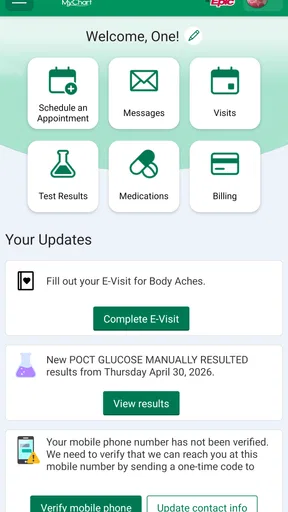
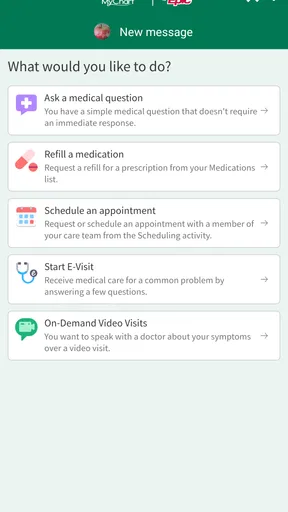
Avera MyChart is Avera Health’s patient portal app for managing healthcare from an Android or iOS device. After signing in, users can review parts of their medical record, view test results, request or manage appointments, communicate with participating care teams, check medications, and access billing information. Available features may vary depending on the Avera facility, provider, and the type of care received.
How do I create an Avera MyChart account or sign in?
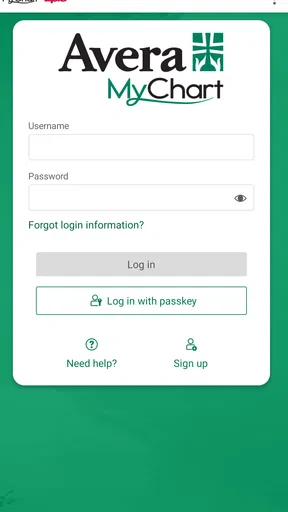
You generally need an Avera MyChart activation code, an eligible medical record, or another verification method provided by Avera to create an account. The app may also support sign-in through an existing MyChart account, depending on the participating organization. During registration, you may be asked to confirm personal information and create secure login credentials. If you cannot access your account, use the recovery options or contact Avera support.
Can I use Avera MyChart to schedule appointments and contact my doctor?
Avera MyChart can make appointment management more convenient, but the exact options depend on your provider and the type of appointment. In supported departments, you may be able to request or schedule visits, view upcoming appointments, receive reminders, and send secure messages to your care team. It is not designed for emergencies, and messages may not receive an immediate response, so urgent symptoms require appropriate medical attention.
Does Avera MyChart show test results, prescriptions, and medical records?
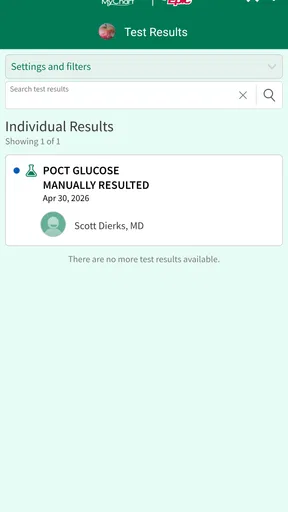
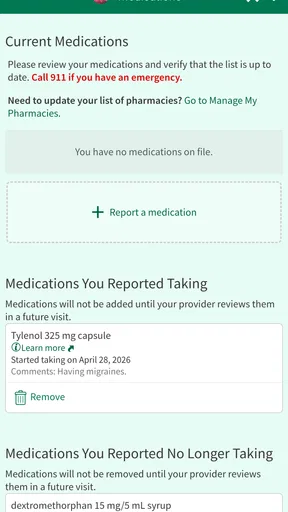
The app can provide access to selected health information connected to your Avera medical record, including laboratory results, visit summaries, medications, immunizations, and other clinical details. Results may appear automatically or only after a provider reviews them, and some information can be delayed or unavailable because of privacy, technical, or facility-specific rules. Always discuss confusing or concerning results with a qualified healthcare professional.
Is Avera MyChart free, secure, and available to every patient?
Avera MyChart is generally available at no additional charge to eligible Avera patients, although normal mobile data or internet charges may apply. The service uses account authentication and security measures intended to protect personal health information, but users should still enable device security, avoid sharing passwords, and sign out on shared devices. Access and features are limited to participating Avera services and may vary by age, location, and account status.


